Scattered signals
Internal messages, public reactions, articles, video content and contextual information: a succession of slides makes it difficult to represent a credible environment.
Multi-channel crisis simulation platform
Crisis Input helps you prepare a scenario, organize an exercise session, broadcast signals in simulated channels and review the progress of the exercise.
For companies, consulting firms and trainers. Crisis Input is an exercise environment, not a real-world publishing tool.
The starting point
A crisis is built from signals, incomplete information, internal reactions and visible speeches. The exercise needs a context to interpret – then a sequence to analyze.
Internal messages, public reactions, articles, video content and contextual information: a succession of slides makes it difficult to represent a credible environment.
An exercise needs a timeline. Certain events are being prepared; others must be able to be triggered or adjusted at the right time.
Without a structured trace of events, decisions and productions, feedback relies too easily on each person's memories.
The model Crisis Input
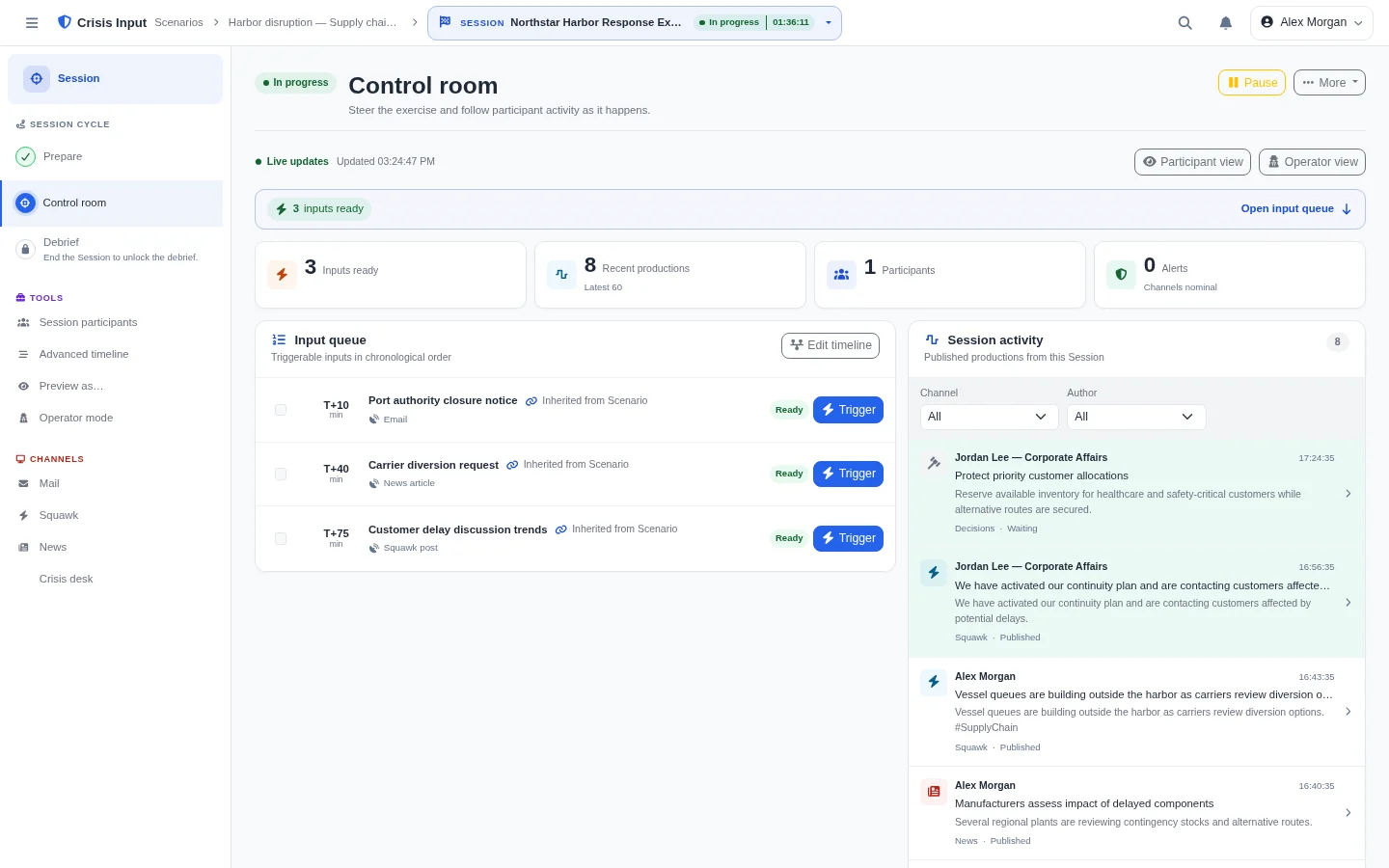
Crisis Input starts from a scenario and transforms it into an exercise session. People, channels, content and timeline are prepared before driving events during the session.
The reusable base for your exercise.
Participants, channels, resources and content.
An isolated instance for a given exercise.
Timeline and events to trigger.
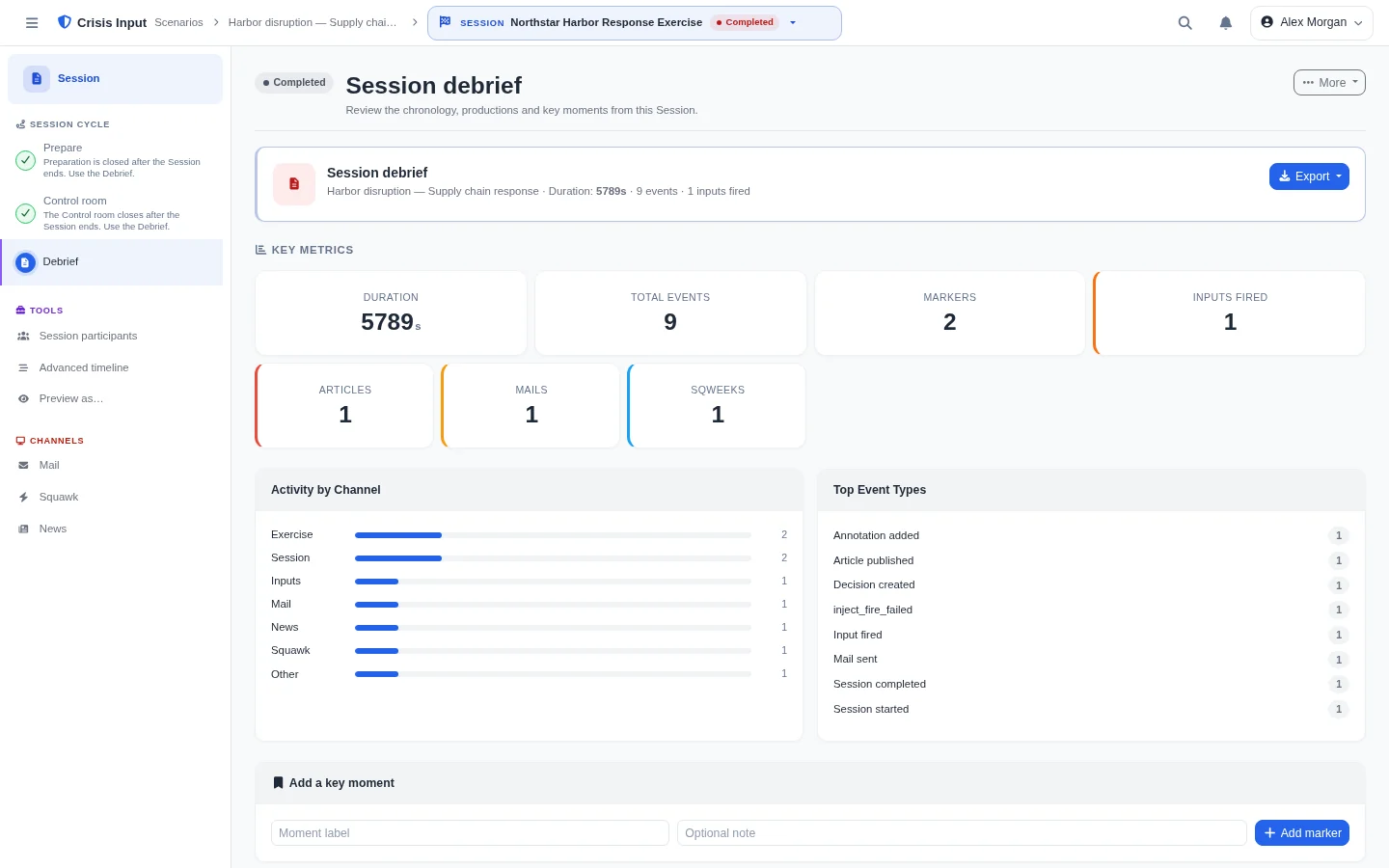
Review of the progress, evaluations and exports.
The platform
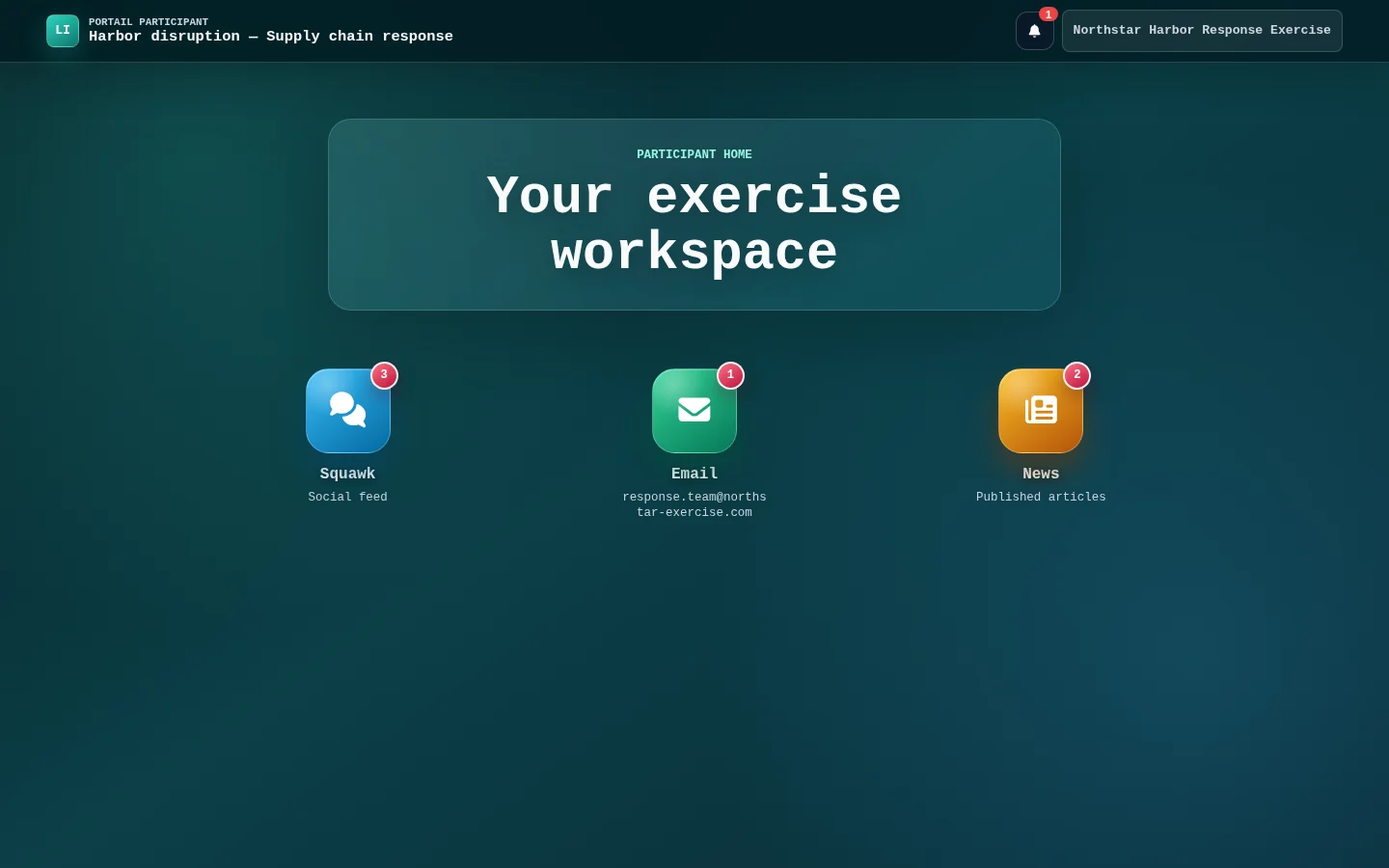
Explore the simulated channels: each tile opens an overview of the participating course and the channel's place in your exercise.
Images are already circulating. Who confirms the information?
↩ 12 ♡ 48Current situation monitoring.
↩ 8 ♡ 31Simulated channel
Circulate posts, hashtags, replies and reactions on a fictitious social network. Participants interpret public signals without using a real platform.
The information becomes clearer during the session.
Simulated channel
Give your exercise fictitious press coverage: articles, live events, comments and reactions take place in the tempo you prepare.
Situation update
16:42
Simulated channel
Add an audiovisual dimension to the scenario with simulated channels, video sequences and information banners.
Validation of speaking
14:32Internal message proposal
14:16Situation on the ground
13:58Simulated channel
Simulate the internal exchanges of the exercise without sending real external emails. Messages, boxes and groups remain within the scope of the session.
The context elements of the fictitious organization.
Simulated channel
Give context to the fictitious organization of the exercise: structure, institutional contents, partners, frequently asked questions and reference information.
This page is a controlled simulation for a crisis exercise.
Optional channel
Illustrate a specific cyber case in a fictitious and controlled environment. This channel serves as the narration of the exercise; it does not replicate or trigger an actual attack.
Beyond the channels, the same platform also connects:
What this changes
Give your teams a concrete framework to interpret information, decide together and review the facts.
Receive a presentationParticipants confront signals and channels staged for the exercise.
A prepared timeline provides a framework for the animation while letting the organizer control the progress.
The same scenario can serve as the basis for several distinct sessions.
Chronology, evaluations and exports available help organize feedback on what happened.
Use cases
The scenario and channels are configured according to the situation you want to work on.
Emerge a cyber crisis through useful channels: context information, internal messaging, media content, fictitious social network or simulated ransomware site.
Put your team in front of an evolving situation: internal information, stakeholder reactions, simulated public content and decisions to organize.
Simulate the circulation of information, reactions on a fictitious social network, press exposure and the content to be interpreted or prepared.
Prepare a scenario, adapt the content to a mission and create a separate session for the exercise concerned.
Operation
Define the scenario, objectives, participants and channels.
Organize content, roles, teams, resources and timeline items.
Create a separate session from the base scenario and verify the necessary items.
Launch, track session status, trigger planned content and adjust animation.
Take a look back at the timeline, participating productions and available evaluations.
Two contexts, one platform
Crisis management, security, continuity, communication, operations, HR or general management: provide a common framework for your scenario and its feedback.
Discuss an internal exerciseDesign more embodied exercises for your clients, adapt content to their context and manage simulation channels from the same platform.
Discover the approach for a client missionA clear framework
Crisis Input is used to prepare, conduct and debrief an exercise in a dedicated environment.
Each session has its own scope of participants, events, activity and debrief.
Generated suggestions do not replace organizer validation.
Timelines, evaluation grids and exports are offered depending on the module concerned.
When a public demonstration is offered, it relies on dedicated and controlled access.
The platform
Crisis Input is used to prepare, conduct and debrief an exercise in a dedicated environment.
FAQ
No. Crisis Input is a simulation and training platform. It is used to prepare, carry out and debrief an exercise; it does not replace an operational incident management system.
The platform can structure different types of situations, for example cyber, reputational, operational, HR, product or governance. The scenario and activated channels depend on the exercise you want to prepare for.
No. The cyber crisis is a strong use case, notably thanks to the simulated ransomware site, but Crisis Input also makes it possible to work on other crisis situations.
Yes. A scenario can serve as the basis for several distinct sessions. Each session has its own scope of participants, events, activities and debriefs.
No. Channels are activated according to the needs of the scenario. You can only prepare the surfaces that serve the scenario.
No. AI functions depend on a configured provider and support preparation. The content generated must remain reviewed and validated by a human.
A read-only public preview may be offered when a maintained demo is available. Otherwise, describe your context to us: we can present to you the most relevant routes for your exercise.
Crisis Input provides the simulation platform. The terms of support, scenario design or animation are to be confirmed according to the proposed offer.
Crisis Input provides a REST API to facilitate integration with your environment. Connectors and automations are assessed with you based on your tools, security requirements and project needs.
Next step
Describe your context, your audience and the type of exercise you want to prepare. We will be able to present to you the most relevant Crisis Input courses.